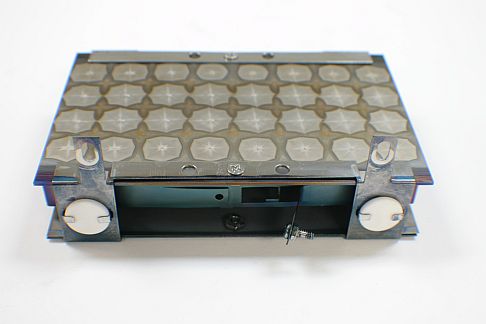
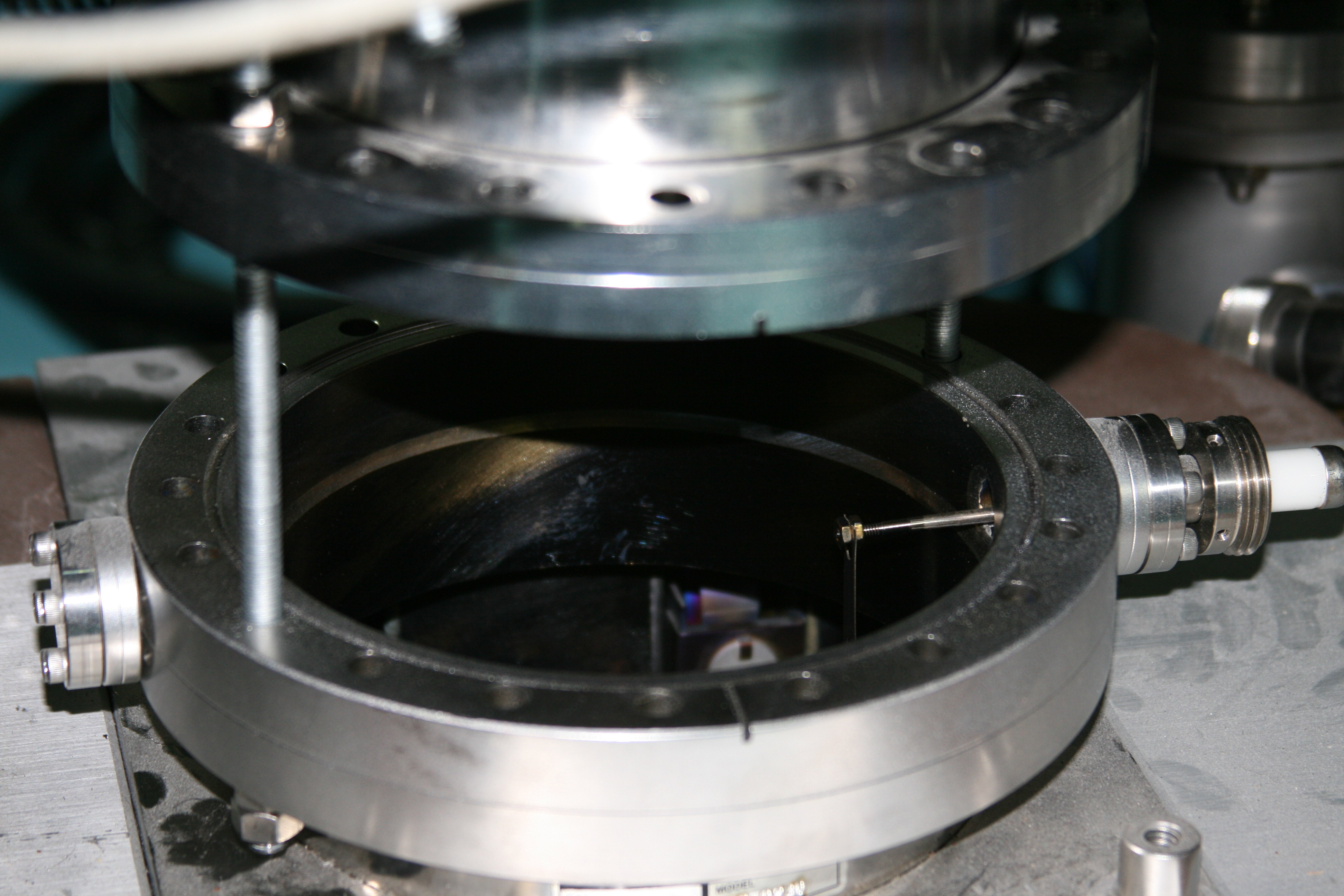
This document contains information about optics repair methods, procedures and tricks that are useful when working on older PHI optics units such as cylindrical mirror analyzers, x-ray photoelectron spectrometers and sputter ion sources.
General Optics Guidelines.
- Clean all tools with isopropanol or methanol and also degauss them if possible. Most customers have degaussing coils which came with their system. If not, RBD can provide them.
- Always use gloves when working with optics. This is to keep oils from your fingers from contaminating the optics.
- Maximize space between all high voltage wires and ground to prevent arcing.
- Avoid sharp points on all connections to prevent arcing.
- When ever possible, cover all high voltage wires with ceramic tubing, ceramic beads or Teflon tubing. If you can’t do that, then make sure all HV wires have gentle bends and no sharp bends. Sharp bends, just like sharp points, can increase the chance of arcing.
- Tighten all screws securely, especially if the unit needs to be shipped after a repair. Vibration from shipping can cause optics to loosen up and become damaged.
- Degauss the analyzer several times during the re-assembly process, especially when the magnetic shields go back on.
Analyzers.
Single pass CMA (cylindrical mirror analyzer).
The PHI single pass CMA is the most common type of Auger (AES) analyzer in the surface analysis industry. It is a very simple and mostly reliable device. Double Pass CMAs are essentially two single pass CMAs stacked on top of each other to increase energy resolution which allows for the acquisition of X-ray Photoelectron spectroscopy (XPS, or ESCA) data.
To maintain optimum performance, analyzers need to be cleaned periodically. Depending on usage, vacuum conditions and amount of sputtering, this could be anywhere from 2 years to 20 years. Expendable items such as filaments, electron multipliers and grids need to be changed on more regular basis.
PHI CMAs that RBD services:
| Model Number | Description | Specifications | Filament type | Multiplier type |
| 10-150 | TFA | 100 uM beam size | C75010RP | 4839RE |
| 10-155 | TFA | 100 uM beam size | C75010RP | 4839RE |
| 15-110 | Scanning | 5uM beam size | C75010RP | 4731GRE |
| 15-110A | Scanning | 3uM beam size | C75010RP | 4731GRE |
| 15-110B | Scanning | 1uM beam size | C75010RP | 4731GRE |
| 15-255G | Double pass CMA | 100uM beam size | C75010RP | 4731GRE |
| 25-110 | Scanning | 2000Ǻ beam size | LAB6590RE | 4831GRE |
| 25-120 | Scanning | 500Ǻ beam size | LAB6595RE | 4831GRE |
| 25-120A | Scanning | 350Ǻ beam size | LAB6600RE | 4831GRE |
| 25-250 | Double pass CMA | 100uM beam size | C75010RP | 4731GRE |
| 25-260 | Double pass CMA with Scanning | 1uM beam size | C75010RP | 4731GRE |
| 25-270 | Double pass CMA with Scanning | <1uM beam size | C75010RP | 4731GRE |
CMA analyzers have many things in common. For example, all CMAs have:
- Inner cylinders with grids
- Outer cylinders
- Conical and flat terminating ceramics
- Electron guns
- Ceramic feed-throughs
- High voltage insulating ceramics
- Copper and tantalum wire
- Coupling connectors
- Set screws
- Magnetic shields
General Analyzer Tips
Be very careful when removing and replacing the conical ceramic as it can chip and break easily. Replacements cost is $2K to $4K.
When replacing the conical ceramic, rotate it slightly. If the conical ceramic appears to be loose remove it and place some copper shims on the lip if the inner cylinder to ensure a solid electrical contact. If the conical ceramic does not make a good electrical contact, the background counts in the data will increase dramatically above 800 eV or so, resulting is poor data.
Ensure that all electron gun ceramics and lenses seat properly before tightening. This ensures that the electron gun will be co-axial with the center of the CMA. If the electron gun is not centered, it will be off-axis resulting in a poor elastic peak shape and low Auger signal.
Use tantalum wire for deflection leads. It is more flexible than copper and will last longer before it breaks.
Use .020″ copper wire or thicker for filament leads. .015″ wire will not provide sufficient current to the filament and you will not be able to get any emission from the filament.
Measure the resistive of the flat terminating ceramic and conical ceramic before you re-assemble the analyzer. Note the values so that you can determine if they are making proper electrical connection after the conical ceramic is replaced. Example: The flat ceramic is 4 M ohms and the conical ceramic is 1 M ohms. If the conical is not making contact, the resistance from the outer cylinder to ground will be 4 M ohms. If only the conical ceramic is making contact but the flat is not, the resistance from the outer cylinder to ground will be 1 M ohms. If they both are making good electrical contact, the resistance will be 750KW.
The outer cylinder is called VM (for voltage modulation) on most CMA analyzers. On double pass CMAs such as the 15-255G and 25-260/270, it is called OC (for outer cylinder).
VM and OC resistance checks.
| Model Number | Resistance check |
| 10-150 | VM to ground = 3 to 3.2 M ohms |
| 10-155 | VM to ground = 3 to 3.2 M ohms |
| 15-110 | VM to ground = .6 to .8 M ohms |
| 15-110A | VM to ground = .6 to .8 M ohms |
| 15-110B | VM to ground = .6 to .8 M ohms |
| 15-255G | IC to OC = .6 to .8 M ohms IC and OC to ground = open |
| 25-110 | VM to ground = 3 M ohms |
| 25-120 | VM to ground = 3 M ohms |
| 25-120A | VM to ground = 3 M ohms |
| 25-250, 25-260, 25-270 | IC to OC = .6 to .8 M ohmsIC and OC to ground = open GR to ground = open |
Tip: If measuring on a system, make sure that the electron gun is off or the electrons coming into the front of the analyzer will give you a false reading.

590 Filament Replacement Procedure
- Remove the magnetic shield (4 screws).
- Carefully remove the conical ceramic ring (4 flat head screws) and remove the conical ceramic.
- Remove the outer cylinder (1 screw), careful not to force it. If necessary, use a heat gun to loosen it up.
- Separate all of the wires in the bottom of the analyzer using 2 needle nose pliers or tweezers. Be careful not to stress the wires. Position the wires so that you can easily remember where the go back. In the case of the F1 and F2 wires, this is easy. For the DEFL/STIG wires, position the wires as upper right and upper left, lower right and lower left.
- Loosen the 4 spline set screws on the top of the inner cylinder by 1 turn CCW.
- Remove all but one of the eight screws around the middle of the inner cylinder.
- Remove the upper inner cylinder grid cap (4 screws).
- Holding on to the nose of the electron gun, remove the final screw at the middle of the inner cylinder.
- Carefully pull the electron gun up and out of the inner cylinder. Be careful not to stress any of the wire connectors.
- Place the electron gun on a sheet of aluminum foil.
- Loosen the bottom cap of the electron gun (4 screws and 4 set screws)
- Carefully slide the bottom cap down the ceramics for about 2”, enough room to get at the filament.
- Remove the filament assembly (4 cap screws, 2 splines connecting the filament wires).
- Install the new filament assembly, and reverse all of the above steps.
General tips:
Clean and demagnetize all of your tools.
Place all removed parts on a clean work area covered with Aluminum foil.
If possible, dust off all parts with nitrogen as you re-assemble them.
Never force any part that doesn’t want to go.
You can use methanol as a lubricate if screws don’t move easily.
15-110 Analyzer Burn-In Procedure (also for the 560 AND 570 ESCA analyzers)
- First, bake system after installation. If that is not possible, bake out just the analyzer using heat tape. 200 degrees Celsius for 6 to 8 hours.
- Allow the analyzer to cool down.
- Set the beam voltage to 500 volts and the emission know fully CW. Slowly turn up the filament current on the 11-045 until you have .1 to .2 mA of emission current (about 6 to seven turns on the filament knob).
- Very slowly, (over a period of 1 to 2 hours) bring the filament up to 2mA of emission current.
- Next, slowly bring the beam voltage up to 2kV (about 30 minutes from 500 volts).
- Set the condenser on the 11-045 to maximum and do an elastic peak alignment.
- Slowly increase the multiplier voltage until a peak is just visible.
- Leave the multiplier voltage at this setting for 6 hours or more.
- After the multiplier burn-in procedure is complete, slowly increase the beam voltage to the normal setting.
Note: The higher you operate the beam voltage, the slower you need to out gas it. Typically, you can go from 2kV to 5kV in 2 or 3 hours. 5kV to 8kV takes an additional 4 to 6 hours. Once conditioned, you can go up to that beam voltage quickly.
15-255G Filament Change Procedure
Use gloves, de-magnetize all tools and clean all tools with Isopropanol.
- Set analyzer on stand or use manuals and support analyzer on handles, facing up.
- Remove outer magnetic shield (4 screws)
- Remove inner magnetic shield (4 screws)
- Carefully remove conical ceramic
- Lift upper outer cylinder up and set aside on clean aluminum foil.
- Carefully lift inner cylinder up and off of the electron gun assembly. Note: If the inner cylinder does not move freely, use a heat gun to expand the inner cylinder so that it will slide off. Do not force it! Be careful not to damage the grids.
- Look at the 10-155 electron gun detail to familiarize yourself with the electron gun assembly. The 15-255G has basically the same electron gun as in the 10-155.
- Remove the three long screws that hold the electron gun assembly together.
- Remove the V1 emission screw
- Remove the 2 filament couplers from the filament posts. You will need a .048 4 spline wrench.
- Remove the 3 filament ceramics.
- Remove the filament assembly. Note the orientation of the emission tab and filament posts.
- Remove the 3 screws that hold the filament base on and remove the filament.
- Install the new filament in the same orientation as the old filament into the emission cap.
- Install the 3 screws and the filament base and tighten slightly.
- Position the filament so that it is centered in the hole and tighten the 3 screws. This is best done using a microscope.
- Install the filament assembly on top of the 3 filament ceramics and use the 3 long screws to hold the assembly together. The three long screws need to be tightened firmly so that they all have the same distance with respect to the base.
- Reconnect the V1 wire
- Reconnect the filament couplers.
- Ohm out the connections to the filament and V1.
- Degauss the gun assembly.
- Install the inner cylinder over the electron gun assembly.
- Reinstall the upper outer cylinder.
- Carefully install the conical ceramic. The resistor part should be 180 degrees out from the center flat ceramic. Ohm out VM to ground and make sure it has the correct resistance. See the Conical Ceramic PDF file for more information.
- Install the inner magnetic shield
- Degauss the analyzer.
- Install the outer magnetic shield.
- Degauss the analyzer. Installation complete.
SCA (Spherical Capacitive Analyzer)
10-360 SCA resistance and capacitance tests
Turn off the card rack power before proceeding.
SCA HV connector-
Remove the large SCA filter box (that has the big black cable going into it) and check for the following resistances –
Pin 1 to 3 = 7.4 Meg ohms
Pin 1 to 2 = 4.5 Meg ohms
Pin 2 to 3 = 2.9 Meg ohms
All SCA HV pins should be open to ground
Remove the POS and NEG filter boxes.
POS to NEG on the SCA should be about 15 meg ohms.
Capacitance tests –
POS to chamber should be about 850 pF (.850 nF)
NEG to chamber should be about 200 pF (.200 nF)
MCD connector
All pins should be about 300 pF (.300 nF) from the pins to the chamber, except for the 4 center pins which should be about 100 pF (.100 nF).
All MCD pins should be open to the chamber.
The PHI model 10-360 SCA analyzer is uses a different approach than the CMA which results in a higher transmission (better collection of signal). Since there are no grids in the SCA, the only maintenance normally required is the replacement of the electron multiplier.
There are three types of detectors used in the SCA. They are, single channel multiplier, PSD (position sensitive detector) and MCD (multi channel detector).
10-360 Detector and multiplier cross reference:
| System Model | Description | Specifications | Detector Type | Multiplier type |
|
5100 |
Large Area | 2 X 10mm | Single channel | Channeltron |
|
5300 |
Large Area | 2 X 4mm | Single channel | Channeltron |
|
5400 |
Small Spot | 200uM | PSD | Channel plates |
|
5500 |
XPS/AES | 75uM | MCD | Chevron |
|
5600 |
XPS/Scanning AES | 30uM | MCD | Chevron |

Ion Guns.
Hot Filament type
The most common type of ion gun is the hot filament type. A filament is heated up white hot and electrons are accelerated into the ionizer grid assembly. Argon gas is either injected or back-filled into the ionizer grid where electron impact converts the Argon atoms into Argon ions which are then accelerated towards the target.
Hot Filament Ion Guns have many things in common including:
- Filaments
- Ionizer grid assembly
- Extractor assembly
- Condenser and Focus lenses
- Insulating ceramics
- Deflection plates
- Ceramic feedthroughs
- High voltage insulating ceramics
- Copper and tantalum wire
- Coupling connectors
- Set screws
PHI Ion Guns that RBD services:
| Model Number | Description | Specifications | Filament type |
| 04-161 | 2kV Backfill | 2mm beam size | Dual tungsten |
| 04-162 | 2kV Backfill | 2mm beam size | Dual tungsten |
| 04-191 | 5kV Backfill | 1mm beam size | Dual tungsten |
| 04-192 | 5kV Backfill | 1mm beam size | Dual tungsten |
| 04-300 | 4kV Backfill | 1mm beam size | Tungsten |
| 04-303 | 5kV Backfill | 200uM beam size | Tungsten |
| 06-660 | Duoplasmatron | 5uM beam size | Anode/Cathode |
| 06-670 | Cesium | 5 uM beam size | Frit assembly |